

01/10/2015


Enabling pop-up email notifications for Windows 10's Mail app.
Enabling pop-up email notifications for Windows 10's Mail app.

Their is a built-in Mail app for Windows 10 that is the most full-featured email clien . It’s a nice, light alternative to a web client. One thing you may be wondering, however, is why you aren’t seeing pop-up Action Center notifications when you receive new emails.
There is way that u can receive a popup notification .
Easy! You have to turn them on first. But let me warn you: once you turn on notifications you’ll get notified for every mail message you receive.
Getting notified

To start, make sure app notifications are active. They should be by default, but let’s just check in case you turned them off.
Open the Settings app and go to System > Notifications & Actions. Under “Notifications” make sure the slider for “Show app notifications” says “On.”
Next, scroll down to “Show notifications from these apps” and make sure the slider for Mail is also turned on.

Now open the Mail app, select the acocunt you want to see notifications for, and then click on the Settings cog at the bottom of the left-hand navigation panel.
A Settings panel will pop out from the right side. Select Options and scroll down to the “Notifications” section at the bottom. By default, the Show in action center slider will be turned on by default, but that just allows notifications to appear in the slide-out Action Center panel.
To actually see notifications as new messages roll in you have to check the box for “Show a notification banner” to see banners pop-out in the lower right corner of your screen. If you’d like to hear the Windows 10 chime each time you get a new notification click the box next to “Play a sound as well.”
Once that’s done, click away from the Options panel to make it disappear. That's it! Your Action Center notifications for the Mail app are ready to roll.
That's all .
30/09/2015
RASPBERRY PI 2 MODEL B ( credit card–sized single-board computers )
RASPBERRY PI 2 MODEL B ( credit card–sized single-board computers )
The Raspberry Pi is a series of credit card–sized single-board computers developed in the UK by the Raspberry Pi Foundation with the intention of promoting the teaching of basic computer science in schools .
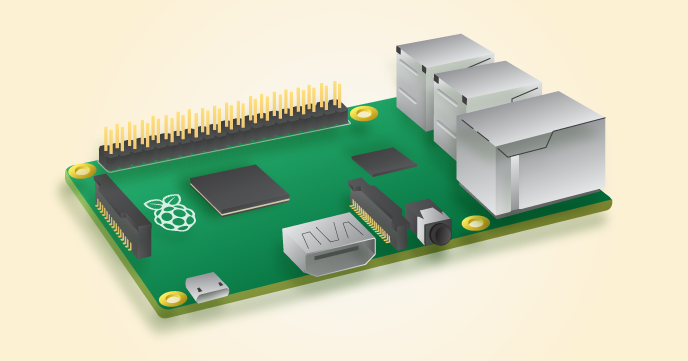
 Raspberry Pi 1.
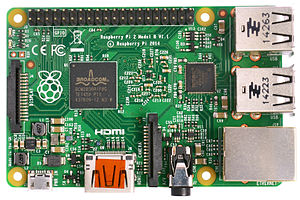 Raspberry Pi 2 Model B.
Here i am talking about Raspberry Pi 2 Model B second generation .
Difference between Raspberry 1 vs Raspberry 2 .
- A 900 MHz quad-core ARM Cortex-A7 CPU
- 1GB RAM
Like the (Pi 1) Model B+, it also has:
- 4 USB ports
- 40 GPIO pins
- Full HDMI port
- Ethernet port
- Combined 3.5mm audio jack and composite video
- Camera interface (CSI)
- Display interface (DSI)
- Micro SD card slot
- VideoCore IV 3D graphics core
- Price :- Raspberry Pi 2 M 2 :- Aprox :- 3000/- Rs
Because it has an ARMv7 processor, it can run the full range of ARM GNU/Linux distributions, including Snappy Ubuntu Core, as well as Microsoft Windows 10 .
Raspberry Pi 2 Windows 10
Raspberry Pi 2 ( Installing Ubuntu ) .
The Raspberry Pi 2 has an identical form factor to the previous (Pi 1) Model B+ and has complete compatibility with Raspberry Pi 1.
We recommend the Raspberry Pi 2 Model B for use in schools: it offers more flexibility for learners than the leaner (Pi 1) Model A+, which is more useful for embedded projects and projects which require very low power.
Subscribe to:
Posts (Atom)